🛠 Implementation
TV Remote and IR Sensor
The TV remote was programmed with a specific TV code so that each button could be uniquely identified. By using the Saleae Digital Logic Analyzer, we captured and analyzed the waveforms of button presses, converting them into hexadecimal format for recognition by the CC3200 board.
The IR sensor was built based on the manufacturer’s circuit diagram. The output was connected to a GPIO pin on the CC3200, where a GPIO interrupt handler was used to detect signals. These signals were processed using a SysTick timer, allowing us to determine whether the trigger represented a zero, one, or clear signal. The CC3200 handled all button recognition internally.
AWS Integration
AWS served as the backbone of our prototype, handling GIF storage and processing. We leveraged AWS IoT Core, S3 Buckets, and Lambda Functions to manage data flow between the GIPHY API and the CC3200.
IoT Core
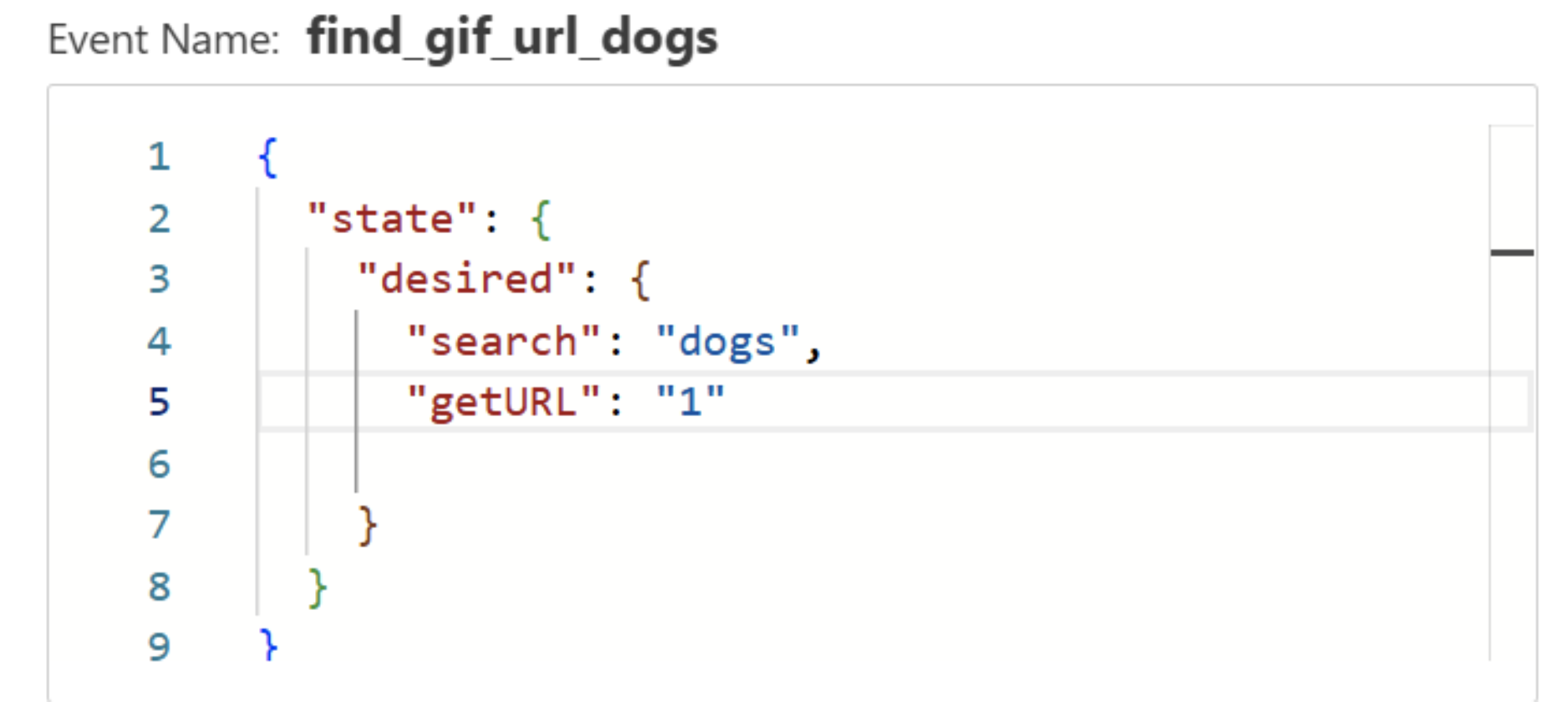
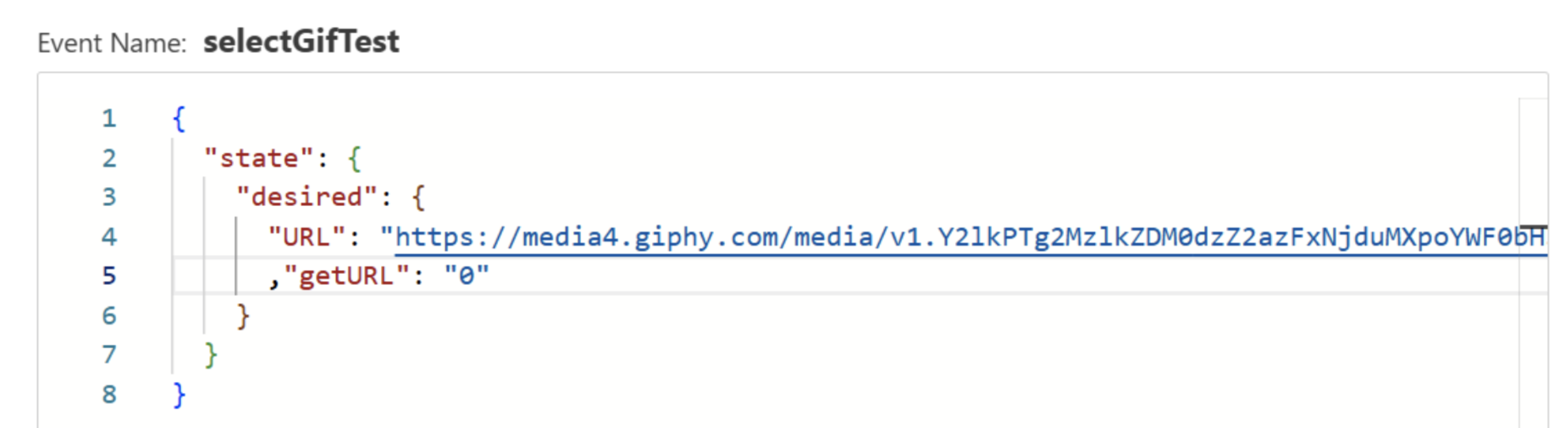
IoT Core was used to detect user actions, such as search queries and GIF selection. A device shadow was created, and SQL-based message routing rules were established to trigger different events. The getURL variable distinguished actions:
getURL = 1→ Trigger Lambda function to retrieve GIF URLs.getURL = 0→ Retrieve selected GIF from the storage bucket.
S3 Buckets
S3 Buckets stored all essential data, including GIF URLs and processed RGB565 frames. The bucket permissions were modified to allow public access, enabling direct HTTP GET requests from the CC3200 board.
Example S3 Bucket Policy
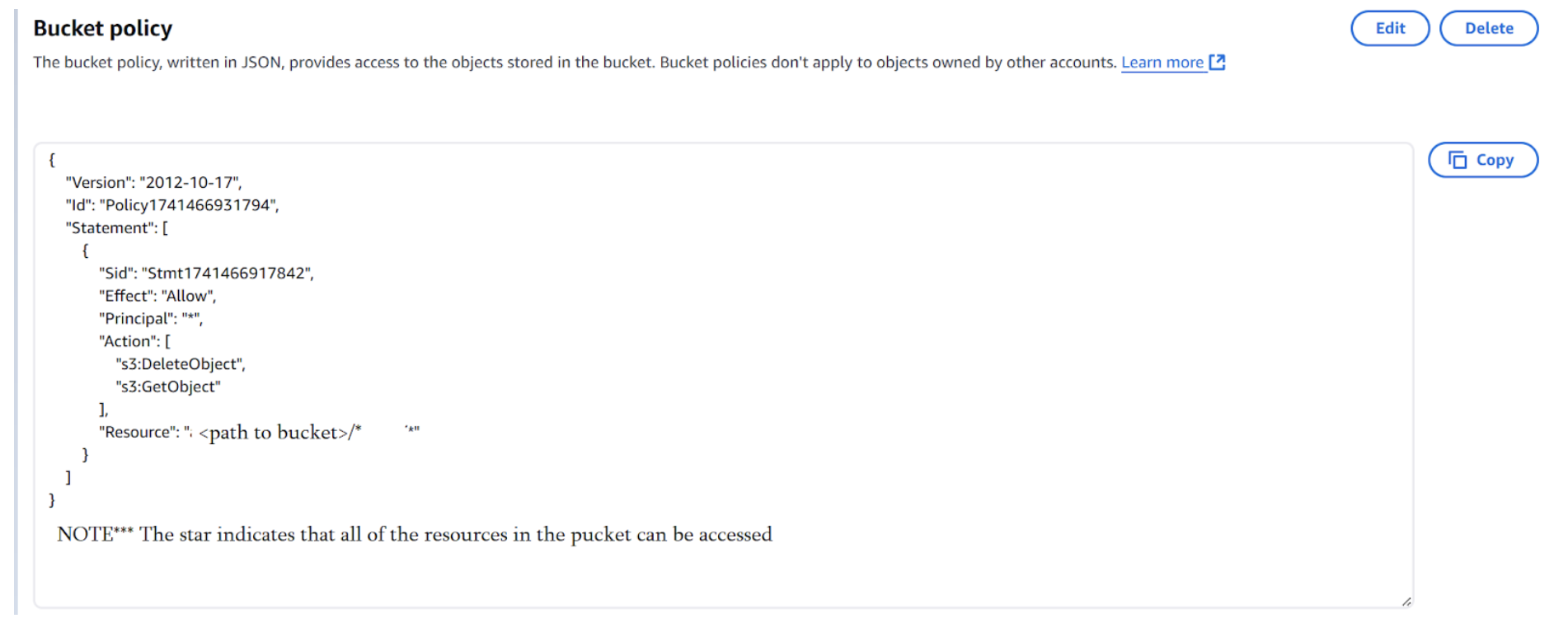
To enable public access, we had to:
- Disable public access restrictions.
- Set bucket ownership to “Bucket Owner Preferred”.
- Apply a policy to permit object access.
Lambda Functions
Lambda functions were used to trigger automated processes and handle data transformation.
Lambda Functions Used

Each function played a specific role:
1️⃣ findGifs_Giphy
- Triggered when a search query was submitted (
getURL = 1). - Called the GIPHY API and retrieved GIF URLs.
- Stored retrieved URLs in an S3 Bucket.
Example Input for findGifs_Giphy
2️⃣ selectGIFfromGIPHY
- Triggered when a user selected a GIF (
getURL = 0). - Downloaded the selected GIF and stored it in S3.
Example Input for selectGIFfromGIPHY
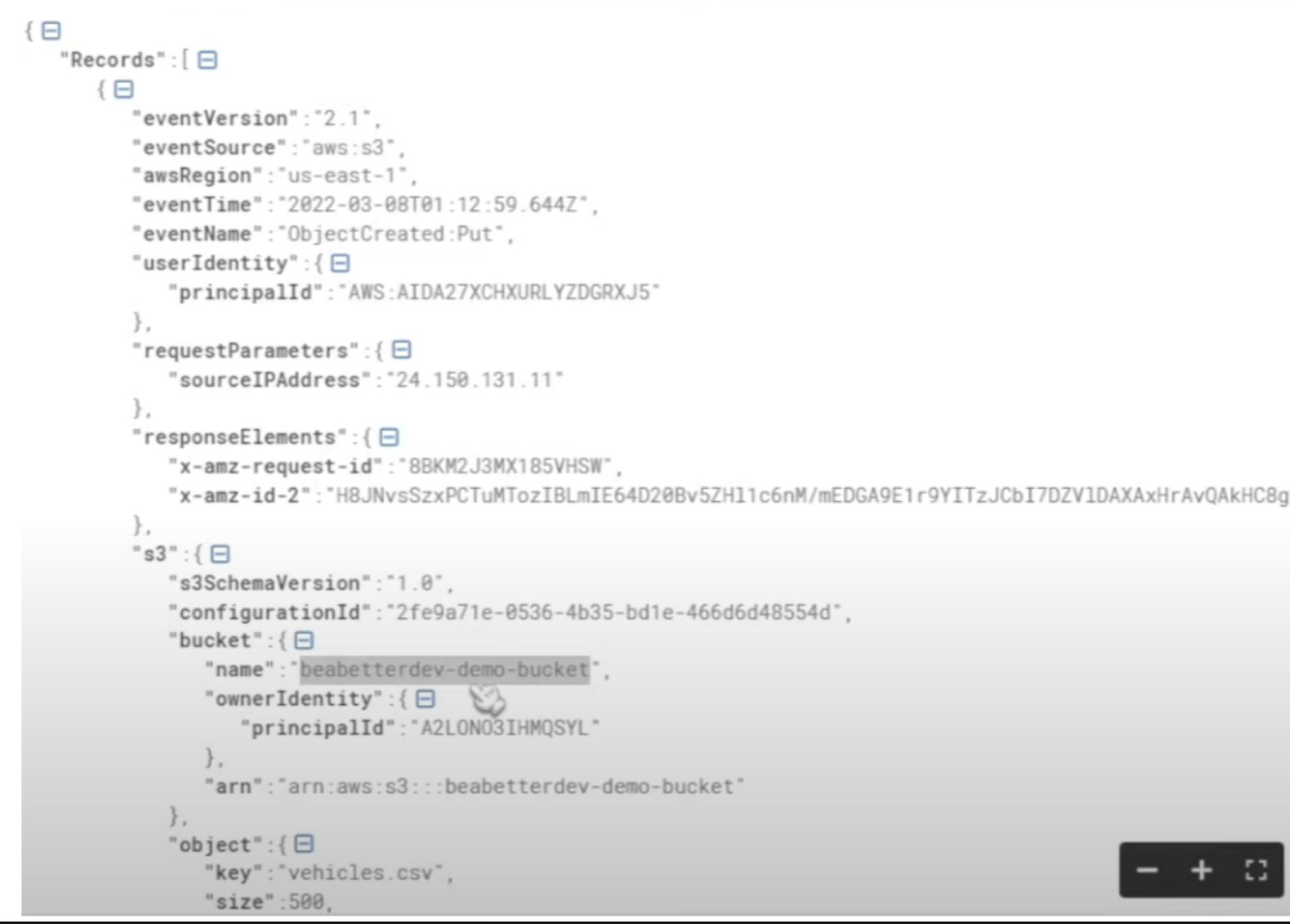
3️⃣ gifConverter
- Processed the selected GIF, converting each frame to RGB565 format.
- Stored frames in a new S3 bucket for retrieval by the CC3200.
Example JSON Data Passed to Lambda
TI CC3200 Board
The CC3200 handled HTTP requests, user interface logic, and display rendering.
HTTP Request Handling
- Secure sockets were used for IoT Core requests.
- HTTP Client Library was used for S3 bucket interactions.
- GET requests retrieved RGB565 image frames for display.
Menu System
The menu system was structured with three main states:
- MENU: User enters a search query.
- SEND: Query is sent to AWS.
- DISPLAY: User selects a GIF for playback.
A one-hot state machine was used to manage state transitions, ensuring smooth menu navigation and animation playback.
Accelerometer & OLED Display
- The accelerometer continuously monitored device orientation, adjusting the display as needed.
- GIF frames were fetched from S3 storage and rendered pixel-by-pixel in RGB565 format.
To optimize performance, we:
- Limited GIF frames to 20 to reduce memory load.
- Used HTTP requests to pre-fetch GIF sizes.